via.placeholder.com/qr · /barcode
QR codes and barcodes
Encode any text as a QR code. Or get a barcode that scans but can never match a real product: test-safe EAN-13, UPC-A, EAN-8, ITF-14 and GS1-128 numbers from the ranges GS1 reserves for internal use and examples.
/qr/https%3A%2F%2Fplaceholder.com%2F /barcode/ean13 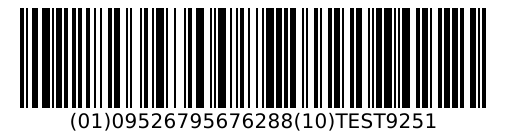
/barcode/gs1-128.svg
QR codes
https://via.placeholder.com/qr/<url-encoded text>[.png|.svg|.webp|.gif|.jpg][?size=&ecc=&margin=&fg=&bg=]
https://via.placeholder.com/qr.png?text=<text>
https://via.placeholder.com/qr?data=<text>&format=svg| Part | Values | Default |
|---|---|---|
| text | Everything after /qr/, slashes included, minus a trailing image extension. ?text= or ?data= (also chl, content, value, url) win over the path. Up to 1024 bytes of UTF-8. | https://placeholder.com/ |
| format | .png, .svg, .webp, .gif, .jpg (or ?format=). Other extensions, AVIF included, get a PNG. | png |
size | 16 to 2000 px (also s, w, width, chs=150x150). The image is exactly that square; modules are whole pixels and the rest goes into the quiet zone. If the code doesn't fit at 1 px per module, the image grows. | 200 |
scale | 1 to 50 px per module, instead of size: the image size follows from the module count. | none |
ecc | Error correction L, M, Q, H (also low…high, 7/15/25/30, chld=H|4). | M |
margin | Quiet zone in modules, 0 to 20. | 4 |
fg, bg | 3 or 6 digit hex (with or without #), a CSS colour name, or r-g-b. bg=transparent works for PNG, SVG, WebP and GIF. | black on white |
https://via.placeholder.com/qr/https%3A%2F%2Fexample.com%2Fa URL, percent-encoded: exacthttps://via.placeholder.com/qr/hello.svgSVG, sharp at any sizehttps://via.placeholder.com/qr.png?text=Hello%20world&size=300text as a parameter, 300 × 300https://via.placeholder.com/qr/hello?ecc=H&margin=2&fg=1c1d19&bg=ecf34dhigh error correction, thin quiet zone, brand colourshttps://via.placeholder.com/qr/hello.png?bg=transparenttransparent backgroundhttps://via.placeholder.com/qr/hello?scale=1010 px per module (290 × 290 for this code)
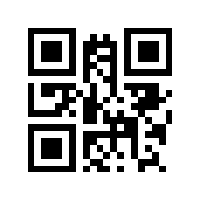


Percent-encode URLs. An unencoded URL works in the path (/qr/https://example.com/?id=5): its own query keys are put back onto it. But keys that clash with ours (size, color, margin, …) are read as ours, so encode the URL when it must be exact.
Byte mode is UTF-8 without ECI, never Micro QR, and the error correction is never raised behind your back, so the module count is predictable. The X-QR-Version header says which version and level you got, e.g. 2-M. /qrcode/… is an alias, and Google Charts parameters (chl, chs, chld) are understood.
Barcodes
https://via.placeholder.com/barcode/<type>/<value>[.png|.svg|.webp|.gif|.jpg]
https://via.placeholder.com/barcode/<type>         a test-safe code
https://via.placeholder.com/barcode/<type>?seed=7  another test-safe code
https://via.placeholder.com/barcode/<type>/test.json?count=10 a list of test-safe codes (max 100)
https://via.placeholder.com/barcode/<digits> type guessed from the length| Type | Aliases | Value |
|---|---|---|
ean13 | ean, ean-13, gtin13, jan | 12 digits (check digit computed) or 13 |
upca | upc, upc-a, gtin12 | 11 or 12 digits |
ean8 | gtin8 | 7 or 8 digits |
itf14 | itf, gtin14 | 13 or 14 digits |
gs1-128 | gs1128, ean128, ucc128 | Application Identifiers in brackets: (01)09521234500001(10)ABC |
code128 | c128, code-128 | 1 to 80 ASCII characters |
code39 | c39, code-39 | 1 to 80 of 0-9 A-Z - . $ / + % and space |
/barcode/<digits> guesses: 8 digits EAN-8, 12 UPC-A, 13 EAN-13, 14 ITF-14, anything else Code 128. An EAN-13 without its check digit has 12 digits and would be read as UPC-A, so name the type. /barcode/qr/<text> makes a QR code. The value can also come from ?value=; spaces and hyphens in numeric values are dropped.
| Option | Values | Default |
|---|---|---|
scale | Pixels per narrow bar, 1 to 10. | 2 |
width | Picks the largest scale that fits and pads the quiet zones to exactly this width. | none |
height | Bar height, 10 to 1000 px. | proportional to the symbology |
hrt | hrt=0 hides the human-readable digits (also text=0, includetext, displayvalue). | on |
margin | Quiet zone in bar widths. Never below the symbology's own minimum (EAN-13 11/7, UPC-A 9, EAN-8 7, ITF-14 10, Code 128/39 10). | the minimum |
bearer | ITF-14 bearer bars; bearer=0 turns them off. | on |
check | fix corrects a wrong check digit, keep renders it as given, mod43 adds Code 39's optional check character. | reject wrong digits |
prefix | Which test-safe range: company, region or demo (see below). | per type |
seed | Any string; picks another test-safe code. | 0 |
fg, bg | As for QR codes. | black on white |
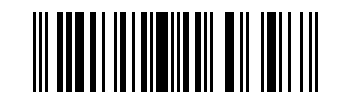
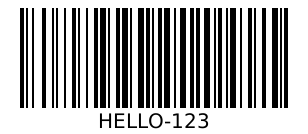
https://via.placeholder.com/barcode/ean13a test-safe EAN-13 (0481926160397)https://via.placeholder.com/barcode/ean13?seed=7another one, fixed by the seedhttps://via.placeholder.com/barcode/ean13/04819261603912 digits: the check digit is addedhttps://via.placeholder.com/barcode/ean13/0481926160397.svg?hrt=0&height=80&scale=3SVG, no digits, 80 px bars, 3 px per barhttps://via.placeholder.com/barcode/upcaUPC-Ahttps://via.placeholder.com/barcode/itf14ITF-14 with bearer barshttps://via.placeholder.com/barcode/gs1-128/(01)09521234500001(10)ABCGS1-128 with a GTIN and a batch numberhttps://via.placeholder.com/barcode/code128/HELLO-123.svgCode 128, any ASCII texthttps://via.placeholder.com/barcode/code39/TEST-123?check=mod43Code 39 with its mod-43 check characterhttps://via.placeholder.com/barcode/ean13/test.json?count=10&seed=7JSON: ten test-safe codes with PNG and SVG links
Test-safe codes
Leave out the value (or write test, random, sample, demo) and you get a code from a GS1 number range that no product on a shop shelf can carry. It is computed from a hash of the type, range and seed, so the same URL always gives the same code, with a valid check digit. The X-Barcode-Test header names the range.
| Type | Default range | Other ranges (?prefix=) |
|---|---|---|
| EAN-13 | company: GS1 Prefix 04 (040–049), Restricted Circulation Numbers within a company | region: 02 and 20–29; demo: 952, for demonstrations and examples |
| UPC-A | company: number system 4 (= GS1 Prefix 04) | region: number system 2 |
| EAN-8 | company: GS1-8 Prefix 200–299 | demo: 952 |
| ITF-14 | demo: GTIN-14 on GS1 Prefix 952 | none |
| GS1-128 | demo: (01) GTIN-14 on 952 plus (10)TEST and four digits | none |
| Code 128, Code 39 | TEST- plus six digits (no GS1 meaning) | none |
- Source: GS1 General Specifications, Release 26.0 (January 2026), tables 1-4 and 1-5 and section 2.1.11; also listed at gs1.org/prefixes.
- ITF-14 and GS1-128 use 952, not company numbers, because the GS1 rules say restricted circulation numbers may only be encoded in EAN-8, EAN-13, UPC-A and UPC-E, never with Application Identifiers.
- Careful with
prefix=region: many countries use 20–29 for price- or weight-embedded items, so a till may read such a code as a priced product. The defaultcompanyrange is the safest for checkout tests. - An unsupported range for a type (
/barcode/upca?prefix=demo) is a 400 error image that lists the ranges you can use.
{
  "type": "ean13", "symbology": "EAN-13", "seed": "7", "count": 2,
  "range": "GS1 Prefix 04 (040-049): Restricted Circulation Numbers within a company",
  "source": "GS1 General Specifications Release 26.0 (Jan 2026), …",
  "codes": [
    {"value": "0488626180328",
     "png": "https://via.placeholder.com/barcode/ean13/0488626180328.png",
     "svg": "https://via.placeholder.com/barcode/ean13/0488626180328.svg"},
    …
  ]
}
Check digits and errors
Give a numeric code without its check digit and it is computed. Give one with a wrong check digit and you get 400 Bad Request: an error image in the format you asked for, with the expected digit in the image and in the X-Placeholder-Error header. That way a typo shows up where the barcode should have been.
https://via.placeholder.com/barcode/ean13/0481926160390400: the check digit should be 7https://via.placeholder.com/barcode/ean13/0481926160390?check=fixcorrected to0481926160397https://via.placeholder.com/barcode/ean13/0481926160390?check=keeprendered wrong on purpose, to test that your scanner rejects it; flagged byX-Barcode-Warning
Other errors (an unknown type, a value a symbology can't encode, QR text over 1024 bytes) are also 400 error images, cached for a day. JSON endpoints answer errors in JSON.
Formats and headers
- PNG (default), SVG, WebP, GIF and JPEG. PNG and WebP are lossless and two-tone. Other extensions, AVIF included, get a PNG.
- Same URL, same bytes, cached for a year, open CORS,
X-Placeholder: via.placeholder.com, as for images.
| Header | Value |
|---|---|
X-QR-Version | QR version and error correction level, e.g. 2-M |
X-Barcode-Type | Symbology, e.g. EAN-13 |
X-Barcode-Value | The encoded value, check digit included |
X-Barcode-Test | The test-safe range, when the code was generated for you |
X-Barcode-Warning | Set when check=keep rendered a wrong check digit |
X-Placeholder-Error | What went wrong, on 400 responses |
QR and barcode files carry the same embedded marker as avatars and photos, so a downloaded copy is still caught by placeholder-check.